 Brandeet
How to Set Up Your Business on Google Maps: A Step-by-Step Guide for Small Businesses
A step-by-step guide to setting up and optimizing your small business on Google Maps so local customers can actually find you.
- google maps
- local seo
- google business profile
- small business
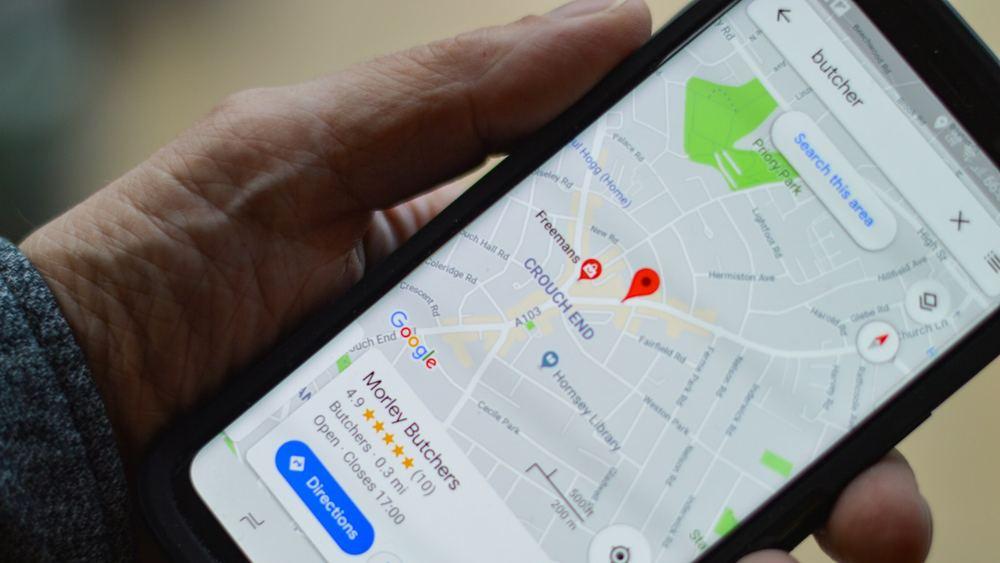
Picture this: someone types "bakery near me" into their phone while standing two streets away from your shop. Google pulls up a map, three listings show up at the top, and your business isn't one of them. The bakery that is gets the walk-in. This happens dozens of times a day, in every city, for every kind of small business, and most owners have no idea it's happening to them.
Getting listed on Google Maps properly isn't a nice-to-have anymore, it's the digital equivalent of putting a sign outside your door. The good news is that setting it up correctly takes less time than most people expect, and the mistakes that keep businesses invisible are almost always the same handful of things. Here's how to do it right.

Why Google Maps Matters More Than You Think
Most local searches end in a phone call, a visit, or a click to a website within 24 hours. That's not a marketing stat, it's how people actually behave when they need a plumber, a hairdresser, or a place to eat lunch. Google Maps is often the very first thing a potential customer sees about your business, before your website, before your Instagram, sometimes before they've even heard your name.
A well-set-up listing works like a 24/7 storefront. It tells people where you are, whether you're open right now, what you look like inside, and what other customers thought. A missing or half-filled one sends the opposite message: that the business might not be reliable, or might not even exist anymore.
Step 1: Claim and Verify Your Business
If you haven't already, search for your business name on Google. If a listing pops up unclaimed, or doesn't exist at all, you'll need to create or claim it through Google Business Profile. Verification usually happens by postcard, phone, or email, depending on your business type and location.
This step gets skipped more often than you'd think, usually because owners assume someone else already did it, or because the postcode verification felt like a hassle. It's worth the ten minutes. An unverified listing can be edited by anyone, including competitors, which is a risk no business needs to take.
Step 2: Get the Basics Right
Name, address, phone number, website, and category need to be accurate and consistent everywhere they appear online, not just on Google. Mismatched details across different directories confuse Google's algorithm and can quietly push your listing down the rankings.
Pick the most specific category that fits, not the broadest one. "Italian restaurant" beats "restaurant" every time, because it's what people actually search. If your business has a service area rather than a fixed storefront, set that up correctly too, so you're not showing an address that confuses customers who'd normally contact you remotely.

Step 3: Add Photos, Hours, and Categories That Actually Help
Listings with recent photos get noticeably more clicks and direction requests than ones with none. Add real photos of your storefront, your team, and your products or workspace, not stock images. People want to know what they're walking into.
Keep your hours updated, especially around holidays. Nothing erodes trust faster than driving to a business that Google says is open, only to find the shutters down. If you run promotions, update your Google Posts regularly too. It's a small habit that keeps the listing feeling active rather than abandoned, and it's one of the easiest wins a business like Brandeet helps clients build into a weekly routine.
Step 4: Turn Reviews Into Your Best Marketing Asset
Reviews are the single biggest trust signal on your entire listing. A business with 40 reviews and a 4.7 average will usually win the customer's attention over one with 3 reviews and no recent activity, even if both offer the same service.
Ask happy customers for a review right after a good experience, while it's still fresh. Reply to every review, good or bad, briefly and professionally. A thoughtful reply to a negative review often does more for your reputation than ten positive ones, because it shows a future customer exactly how you handle problems.

Keeping It Updated Without Losing Hours to It
The businesses that benefit most from Google Maps aren't the ones that set it up perfectly once and forget about it. They're the ones that treat it as a living part of their online presence: new photos every month, hours checked before holidays, reviews answered within a few days.
That's exactly the kind of recurring, unglamorous work that eats into a busy owner's week, and it's the reason Brandeet builds Google Maps optimization into the ongoing digital presence packages we run for small businesses, alongside the website and social content. If your listing has been sitting untouched for a while, it's probably costing you more customers than you realize, and it's one of the quickest things to fix.